










In today’s fast-paced digital world, automating repetitive tasks and integrating various services is crucial for productivity. That’s where n8n comes into play. Short for “node-node,” n8n is a powerful, open-source workflow automation tool that connects apps and services with minimal effort.
In this article, we’ll explain what n8n is, how it works, and why it’s an excellent alternative to commercial platforms like Zapier or Make.
What is n8n?
n8n is a fair-code licensed, open-source workflow automation platform that lets you connect applications, APIs, and databases into customized automated workflows. You can run n8n on your own server, giving you full control over your data and automation logic.
Unlike other automation platforms, n8n allows you to build complex logic, custom scripts, and conditional flows using a visual node-based interface—making it a favorite among developers, startups, and tech-savvy teams.

Key Features of n8n
1. Open-Source and Self-Hosted
n8n is fully open-source and can be self-hosted, offering unmatched flexibility and privacy. No vendor lock-in, and you own your data.
2. Visual Workflow Builder
Create automation workflows using an intuitive drag-and-drop interface with nodes representing different services, triggers, or logic blocks.
3. Extensive Integrations
n8n offers over 350 built-in integrations, including:
- Slack
- Discord
- Gmail
- GitHub
- Trello
- AWS
- MySQL/PostgreSQL
- Webhooks and HTTP requests
4. JavaScript Code Blocks
Embed custom JavaScript functions directly into your workflows, allowing you to manipulate data, transform outputs, and build logic-rich automations.
5. Trigger-Based Automations
Start workflows using:
- Webhooks
- Scheduled triggers (cron jobs)
- App-specific events (e.g., “new email received”)
6. Conditional Logic and Loops
Support for if/else, switch, and looping allows you to create non-linear, decision-based workflows.
7. API Connectivity
Connect to any third-party API, even those not officially supported, using the HTTP Request node or custom scripts.
8. Community and Enterprise Support
- Free for individual use under the fair-code license
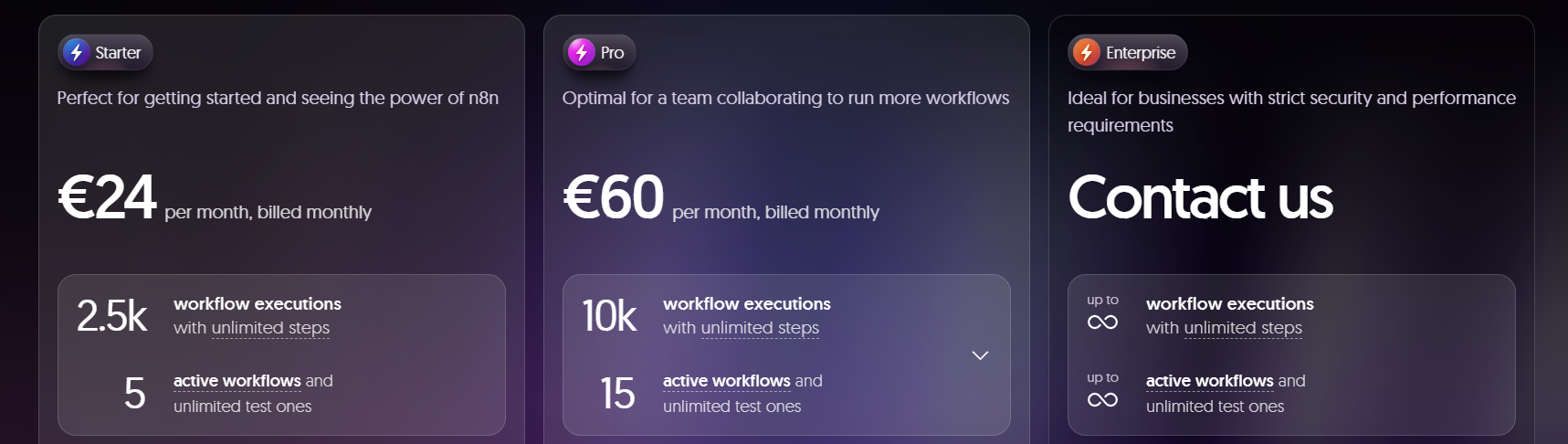
- Paid enterprise version available for teams needing support and scaling
n8n vs Zapier vs Make (Integromat)
| Feature | n8n | Zapier | Make (Integromat) |
|---|---|---|---|
| Open Source | ✅ | ❌ | ❌ |
| Self-hosted | ✅ | ❌ | ❌ |
| JavaScript scripting | ✅ | ❌ | Limited |
| Pricing | Free/Paid | Paid tiers | Paid tiers |
| Community Extensions | ✅ | ❌ | ❌ |
| Workflow complexity | High | Moderate | High |
Who Uses n8n?
- Developers building internal tools and automation
- Startups wanting low-cost, scalable automation
- Agencies managing client workflows securely
- Enterprise teams integrating custom APIs
How to Get Started with n8n
- Visit the official website: https://n8n.io
- Try the hosted cloud version or deploy n8n on your own server via:
npm install n8n -g
n8n
- Access the visual workflow editor via http://localhost:5678
- Start building your first automation
read more: Hướng dẫn cài đặt N8N với Docker
Key active n8n pro:
- M28P3-5UP-X92TW-4U2JV
- TZD5E-791PU-WS14E-FWSUA
- 1HDAT-NKT4D-5W25V-H7FNA
- 5AP54-G2CG5-24J2P-PAY29
- AW13M-HNY7F-B1C3Z-TCW1R
- D29MR-GU84K-DKDRS-8XKHQ
- BWD8P-UEMCF-FYGBW-16WMV
- S7SWK-6RKNU-2GW5E-SDNBW
- 2W1ZA-RECHA-4VJKT-CCYE6
Conclusion
n8n is a powerful, developer-friendly automation tool that puts you in full control of your workflows. Whether you’re syncing data between apps, sending alerts, or automating complex backend processes, n8n offers the flexibility and extensibility that modern teams need.
Keywords: What is n8n, n8n workflow automation, open-source Zapier alternative, n8n vs Zapier, self-hosted automation tool, JavaScript automation workflows, n8n features and benefits
Hướng dẫn cài đặt Cluster Kafka trên Ubuntu
https://forum.congdonglinux.com
Top 10 VPN Services in 2025: Secure, Fast & Feature-Rich
Add Comment