










This is a detailed guide on how to integrate Checkmk with Discord to send alerts via webhook. Setting up a real-time monitoring and alerting system helps your technical team respond quickly to incidents. Checkmk is a powerful monitoring tool that supports real-time tracking of system resources, services, and network devices. Discord, on the other hand, is a popular communication platform, especially favored by technical communities and developers for its fast notification capabilities and easy integration. By integrating Checkmk with Discord, you can receive instant notifications about incidents and react promptly. This article will walk you through each integration step in a clear and straightforward manner
Preparation Before Integration
Before integrating Checkmk with Discord, you need to prepare the following:
- A Discord server with admin rights to create a webhook.
- Access to the Checkmk server with permission to add scripts.
- Internet connectivity to send notifications from Checkmk to Discord
1. Create a Webhook on Discord
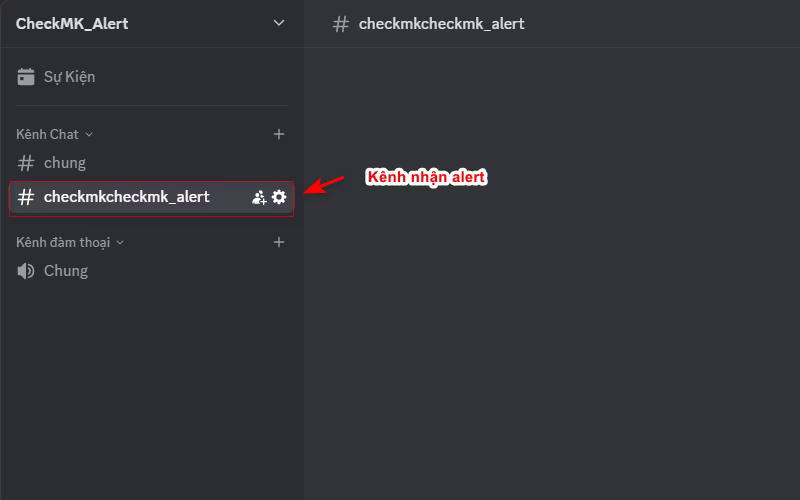
- Access your Discord server and select the channel where you want to receive alerts.
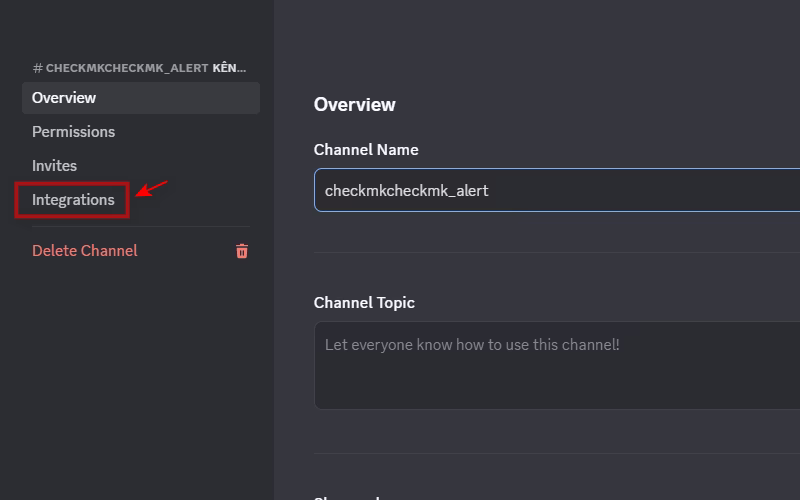
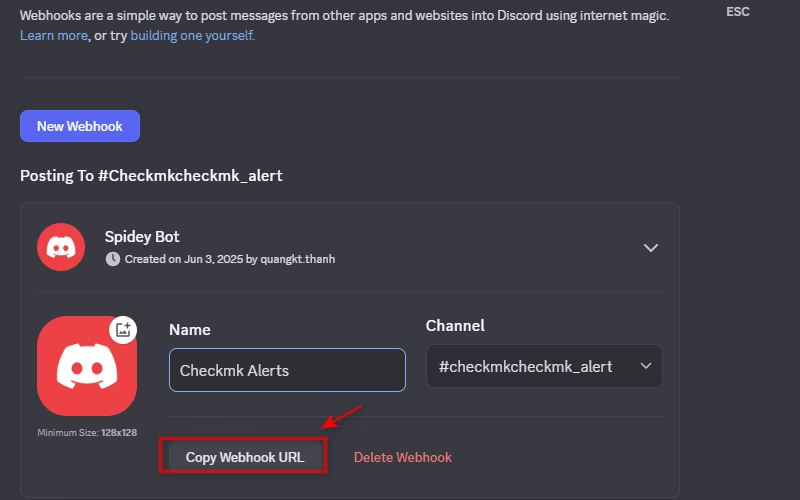
- Go to Edit Channel > Integrations > Webhooks.
- Click “Create Webhook” and give it a name (e.g., “Checkmk Alerts”)
2. Install the Script on Checkmk to Send Alerts to Discord
- Log in to your Checkmk server.
- Switch to the user/site where you want to install the webhook (e.g., a site named “mon”).
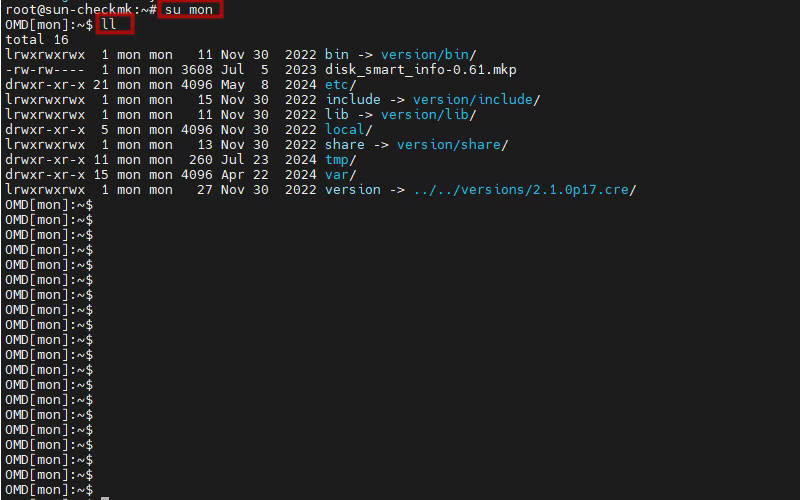
- Navigate to the notifications directory:
cd local/share/check_mk/notifications/- Download the script and grant execution permissions for use with the Discord webhook:
wget https://raw.githubusercontent.com/huydv398/checkmk-webhook-notify/refs/heads/main/discord-webhook.py chmod +x discord-webhook.py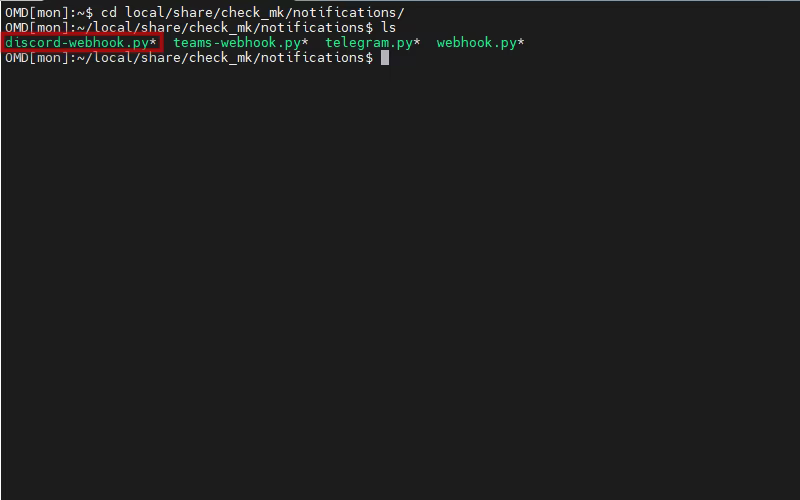
3. Configure Notifications in Checkmk to Send Alerts to Discord
- Go to Setup > Events > Notifications > Add rule.
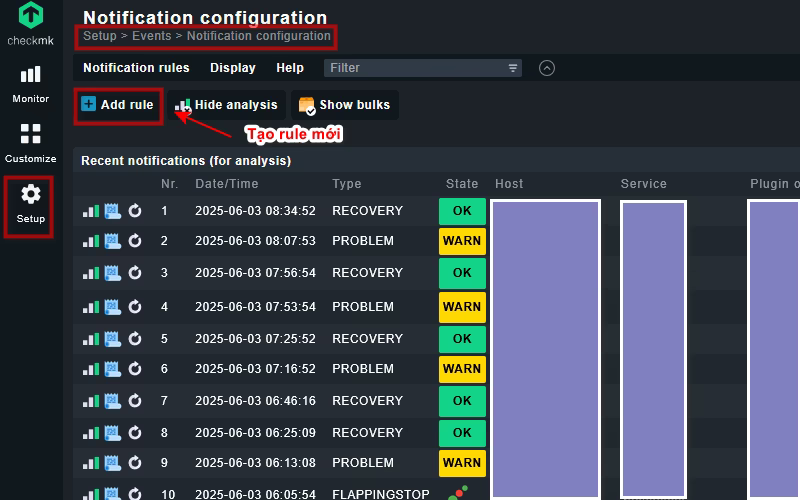
- Configure a new rule and fill in all the required information.
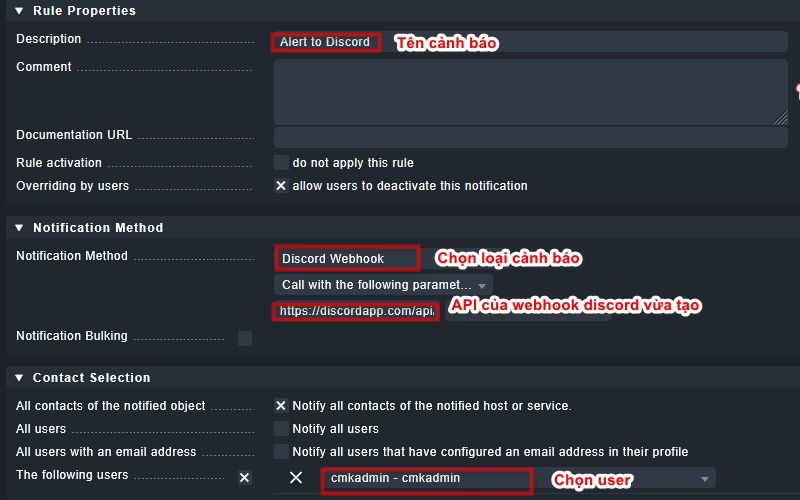
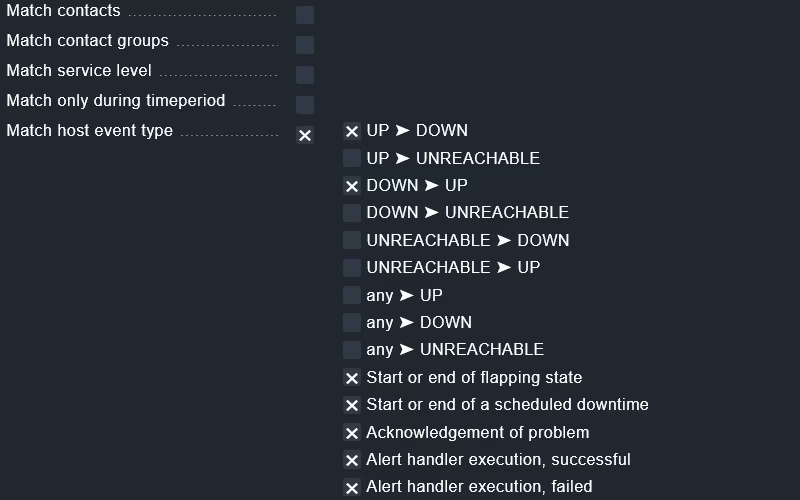
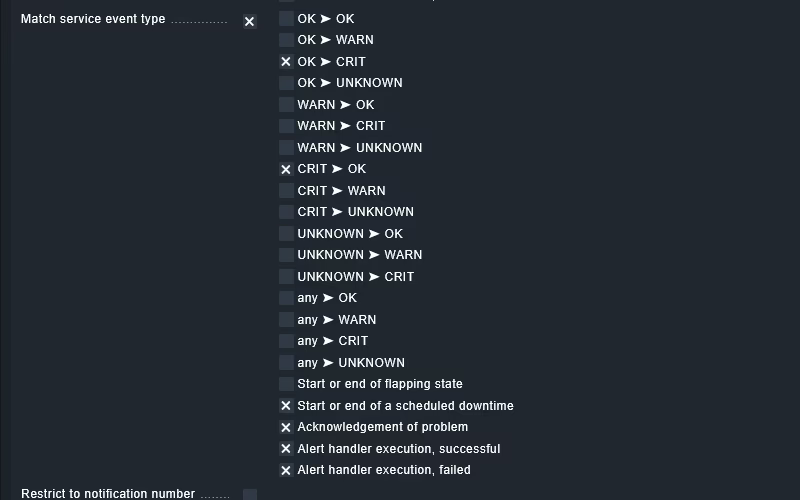
- Save and apply the changes
4. Test the Result
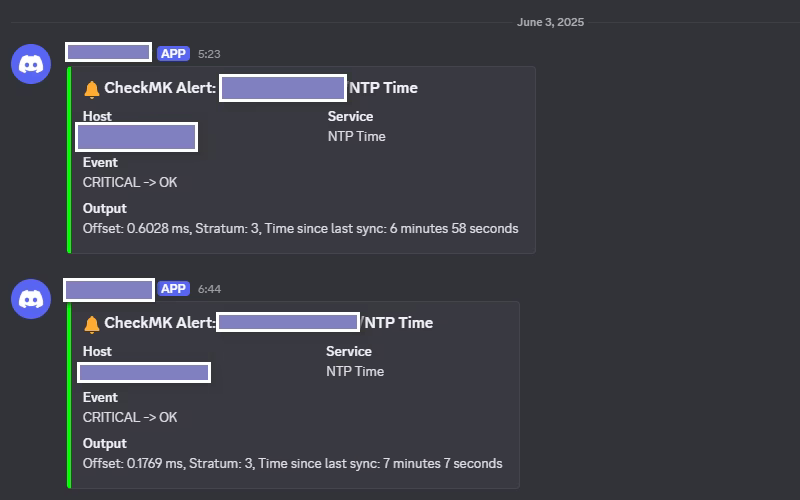
Once configured as above, the setup for Checkmk to send alerts to Discord is complete. Now, you should test to ensure alerts are being sent. For example, you can disable a network card on a host monitored by Checkmk or intentionally set the NTP time incorrectly to trigger an alert to Discord
Conclusion
Integrating Checkmk with Discord is an effective solution for managing and responding quickly to system incidents. With the simple steps above, you can set up an instant alert system for your team. Try it today to optimize your monitoring workflow. Visit SunCloud regularly to stay updated with the latest technology knowledge!
Top 10 VPN Services in 2025: Secure, Fast & Feature-Rich
Hướng dẫn cài đặt Cluster Kafka trên Ubuntu
https://forum.congdonglinux.com
Add Comment